MeshDisplay Manual
Welcome to the MeshDisplay user manual.
MeshDisplay is a desktop messenger for Meshtastic from TopBytes Ltd. It connects to your Meshtastic radio over Bluetooth and turns a 7-inch capacitive touchscreen into its display and keyboard: read and send channel and direct messages, see every node your radio has heard, and follow them on a map — without needing a phone.
MeshDisplay works with the Meshtastic radio you already have. Messages always travel over the mesh through your radio; the display adds a big screen, a full keyboard, a message history that survives restarts, and pop-up alerts for new messages.
With a 2.4 GHz Wi-Fi network it can also draw the map over OpenStreetMap, keep its software up to date, and act as an MQTT gateway for a radio that has no Wi-Fi of its own.
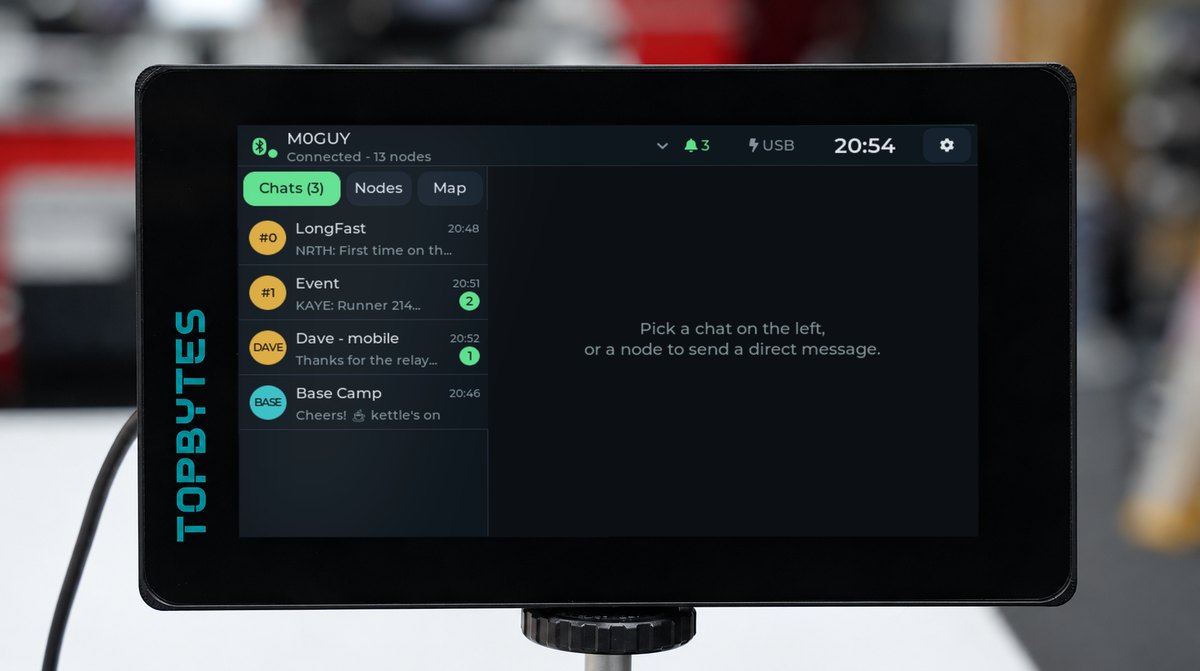
The MeshDisplay main screen (Classic theme): your chats on the left, the conversation on the right.
MeshDisplay
Quick Links
About This Manual
This manual covers:
Pairing MeshDisplay with your Meshtastic radio, including the Bluetooth PIN
Reading and sending channel and direct messages, and the on-screen keyboard
The node list, message alerts and switching between several radios
The map: node positions, distances and bearings
The MQTT gateway
Themes, screen timeout, time zone and other settings
Wi-Fi, software updates and troubleshooting
Technical specifications and regulatory information
Data Sources and Credits
Map tiles and map data © OpenStreetMap contributors, available under the Open Database License (ODbL).
Meshtastic® is a registered trademark of Meshtastic LLC. MeshDisplay is an independent product that uses the public Meshtastic client interface; it is not made or endorsed by the Meshtastic project.
Fonts: Montserrat, Exo 2, Orbitron, Antonio, Nunito, Fredoka and Noto Emoji (SIL Open Font License).
Regulatory and Safety Information
Per Radio Equipment Directive 2014/53/EU, Article 10(9)
Hereby, TopBytes Ltd declares that the radio equipment type MeshDisplay (Model: MESHDSP-01) is in compliance with Directive 2014/53/EU.
The full text of the EU declaration of conformity is available at Compliance.
Support
For additional support, please visit:
Website: https://www.topbytes.net
MeshDisplay Portal: https://meshdisplay.topbytes.net
Support email: support@topbytes.net