Introduction
What is MeshDisplay?
Meshtastic radios form a long-range, off-grid text network over LoRa. Most radios are small and have, at best, a tiny screen; to read and write messages you normally pair a phone with them.
MeshDisplay replaces the phone with a dedicated 7-inch touchscreen that sits on your desk, in the shack, at an event control point or in a vehicle. It connects to your radio over Bluetooth Low Energy, using the same interface as the official Meshtastic apps, and shows everything the radio knows:
your channels and direct-message conversations, with unread counts
every node your radio has heard, with when it was last heard, how many hops away it is and its battery level
a map of the nodes that share their position
You type replies on a full on-screen keyboard. Each message shows whether it was sent, delivered or failed, and a pop-up tells you when a new message arrives.
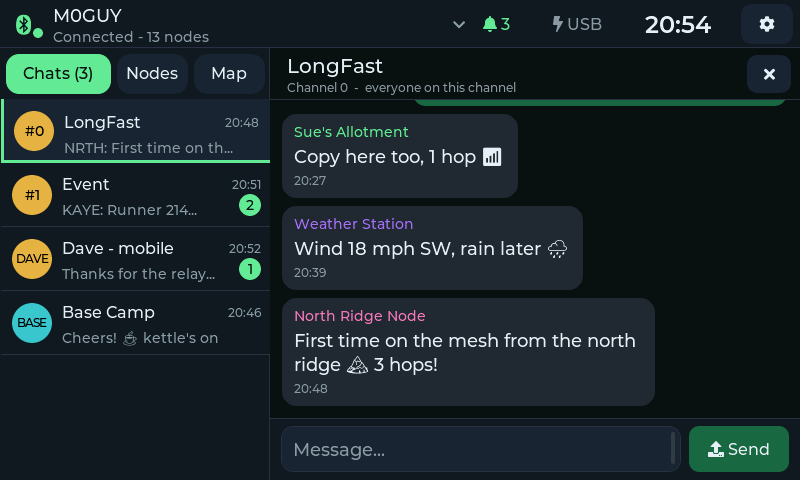
A channel conversation. Your messages are on the right, with ✓ when the mesh accepted them and ✓✓ when the other end confirmed delivery.
How It Works
+--------------+   Bluetooth LE   +-----------------+   LoRa   +-------------+
| MeshDisplay  | ---------------> | Meshtastic radio| -------> | The mesh    |
| (this unit)  | <--------------- | (your node)     | <------- | other nodes |
+--------------+                  +-----------------+          +-------------+
       |
       | Wi-Fi (optional): map tiles, software updates, clock, MQTT gateway
       v
   The internet
MeshDisplay does not have a LoRa radio. All mesh traffic goes through your Meshtastic radio, which must be within Bluetooth range (a few metres, through a wall or two).
Wi-Fi is optional. Messaging works without it. Wi-Fi adds map backgrounds, software updates, an accurate clock and the MQTT gateway.
A radio can only be connected to one Bluetooth client at a time. While MeshDisplay is connected, disconnect your phone app from the radio (and vice versa).
Key Features
Messaging
Channel and direct messages, up to 200 characters each, with emoji
Sent / delivered / not-delivered status on every message you send
Message history stored on the display — it survives restarts and is kept separately for each radio
Pop-up alerts for new messages, with separate switches for direct and channel messages, and optional screen wake
Radios
Scan for nearby Meshtastic radios and pair with the radio's Bluetooth PIN
Up to 8 paired radios; switch between them in a couple of taps
Reconnects automatically at start-up and if the Bluetooth link drops
Map
Nodes with a position drawn over OpenStreetMap, with your own radio highlighted
Tap a node for its distance and bearing from you, when it was last heard, signal and battery, and a button to message it
Map tiles are cached on the display; without Wi-Fi the nodes are still shown at their true distances on a plain grid
MQTT Gateway
Carries your radio's MQTT traffic over the display's Wi-Fi (Meshtastic client proxy mode), so a radio without Wi-Fi can still be linked to an MQTT broker or appear on public mesh maps
Display
Four themes: Classic, Neon, Console and Guide
Screen-off timeout, 180° rotation and time zone
Software updates over Wi-Fi
What You Need
A Meshtastic radio with Bluetooth enabled (ESP32- or nRF52-based nodes such as Heltec, LILYGO T-Beam / T-Echo, RAK WisBlock and similar), running current Meshtastic firmware
A 5 V USB-C power supply, at least 1 A
Optionally, a 2.4 GHz Wi-Fi network for the map, updates and the gateway
Themes at a Glance
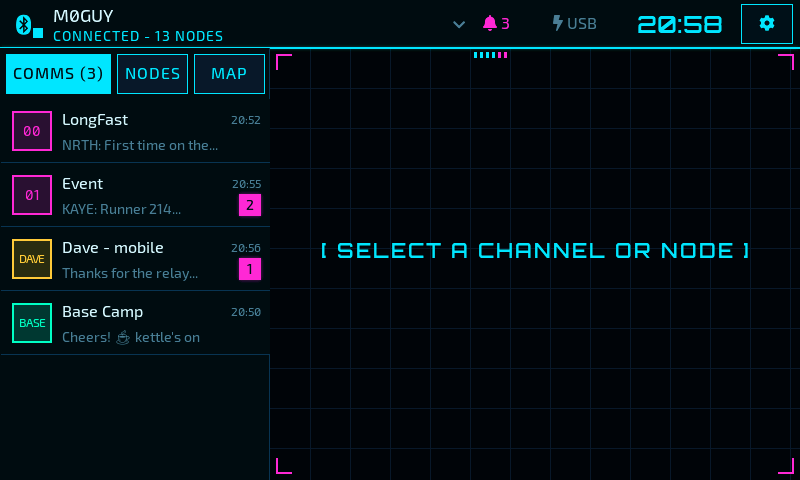
Neon — a futuristic heads-up display in cyan and magenta.
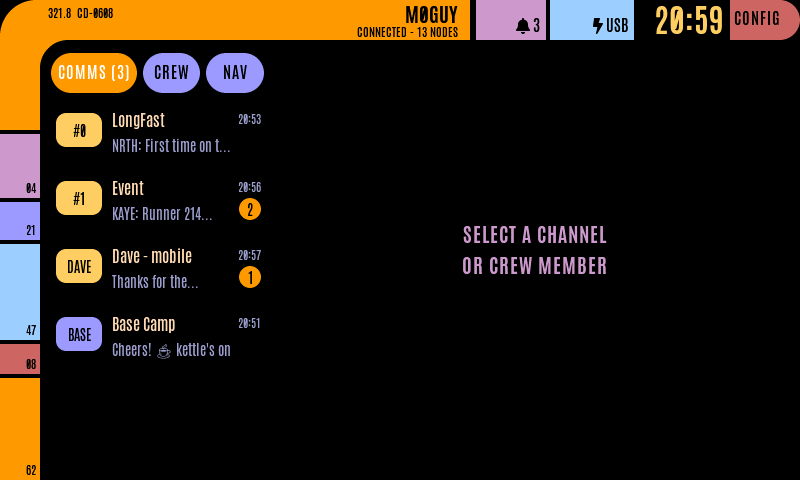
Console — a retro control console with coloured blocks and pill buttons.
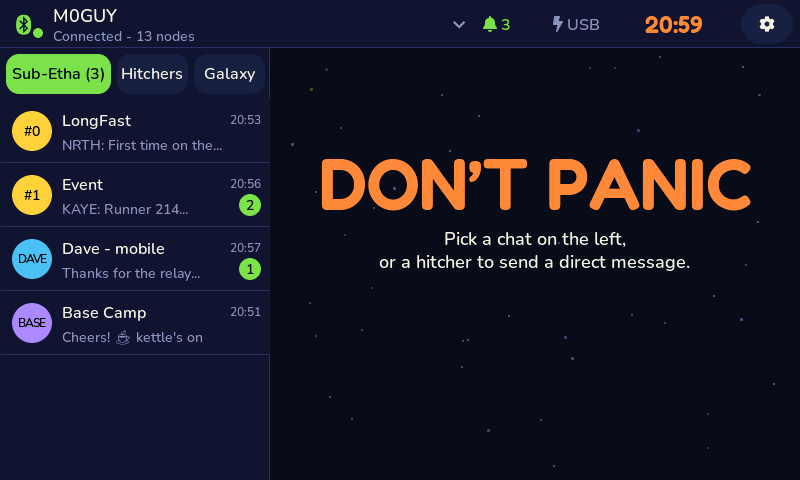
Guide — a friendly galactic travel guide. Don't panic.
See Theme to change theme.